Antla can run on your Online Store theme, in a Tapcart app, as a Headless SDK block, or through the Headless API. Funnels, products, and credits are the same in every case. The surface you pick only changes how shoppers open Try On.
Most Shopify merchants use the theme app embed. Use the other paths when your storefront is not a standard Online Store theme.
The theme embed is the default: it injects Try On on product pages. You can add Tapcart on top of the theme, and the same Funnels and credits serve both the website and the app.
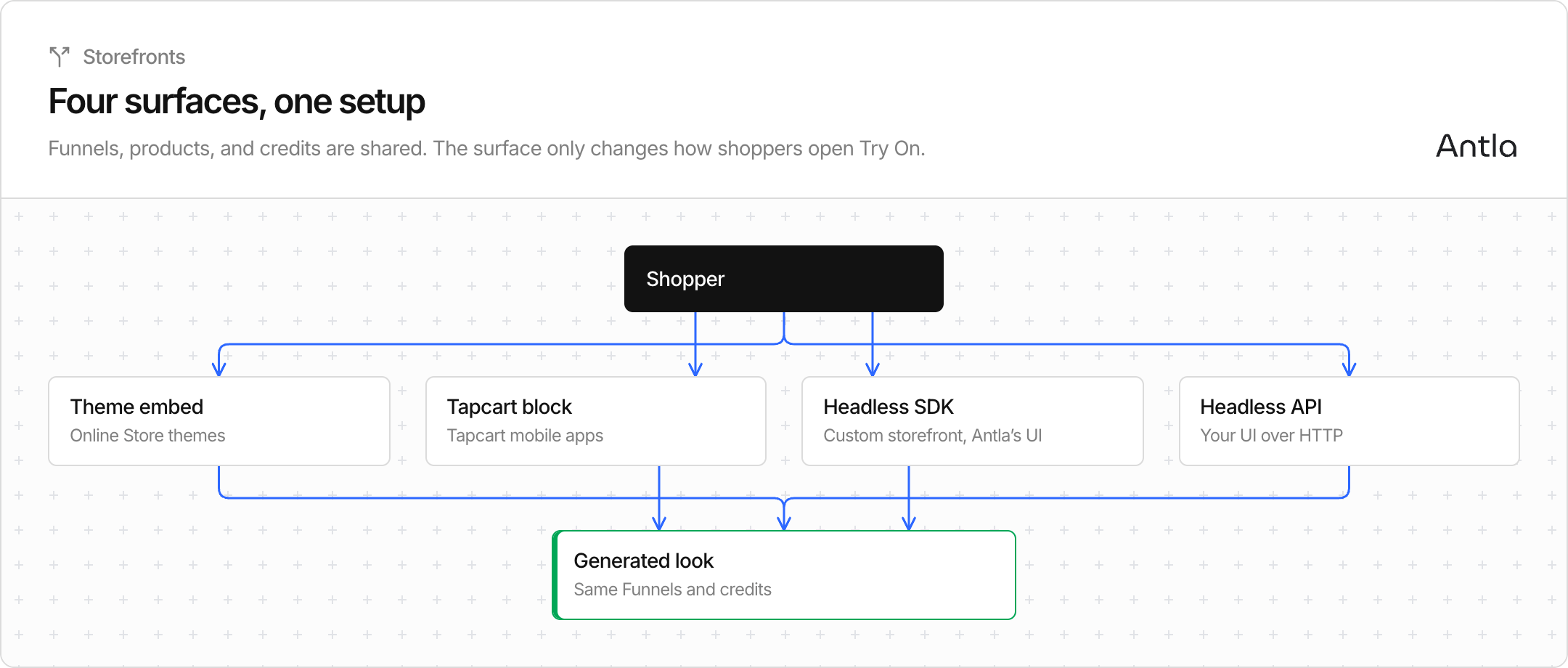
Headless SDK and Headless API are for custom storefronts. They are not a replacement for the theme embed on a normal Online Store.
Your storefront | Connect this | Where you set it up |
|---|---|---|
Online Store 2.0 theme | Theme app embed | Theme editor, not Integrations |
Tapcart mobile app | Antla custom block | Tapcart Studio |
Hydrogen or another headless Shopify storefront, and you want Antla’s Try On UI | Headless SDK integration | Antla → Integrations |
Custom or partner UI, native app, or you want to call Antla with HTTP only | Headless API integration | Antla → Integrations |
Klaviyo lives on the same Integrations page. It is email and SMS, not a storefront.
The SDK places Antla’s own Try On button and modal on your page. You load a script and an <antla-block> element. Connecting it asks for Shopify Storefront public and private access tokens so the block can read products and write to the cart.
The API is HTTP only. You build the upload, waiting, and result screens yourself. Connecting it is one click and does not ask for Storefront tokens. Your app sends the Headless key in the X-Antla-SDK-Key header.
You can run both. They share one key. Refreshing the key stops both until you replace it. Disconnecting the SDK can leave the API on, or turn both off.
Antla installed and onboarding finished.
At least one Funnel with products. Products get an antla_in_funnel_<id> tag.
Credits. On the theme, zero credits hide Try On. On Headless and Tapcart, a generation fails when credits are gone.
Design copy for the theme experience lives in On Site Design. Headless SDK reads those same settings. Headless API does not render Antla’s modal, so your app owns that UI.